Download skills, upload them to Claude

Basic skills download for free. Advanced packs open with a subscription. Each one is a zip file: you download it, then upload it to Claude yourself.

Free and with a subscription

Free
Downloads directly, with no payment.
With a subscription
Needs one of the one-time, monthly or yearly packages. Payment is not open yet, so these are locked for now. Downloads open when payment opens.
See packages and pricing

Skill packs

A pack gathers several skills in a single zip file. You upload it to Claude as a plugin in one go.

Free

Starter pack

Company announcements and reports, ready color themes, animated images for Slack

Zip file, 147 KB

We do not have a real output to show for this pack yet. You can read what it does from the 3 skills inside it.

The 3 skills inside

  • Internal announcements

    Writes internal communications such as status reports, leadership updates, company newsletters and incident reports from ready-made patterns.

  • Ready-made themes

    Applies one of 10 ready-made color and type themes to a deck, document or web page, or creates a new theme.

  • GIFs for Slack

    Produces animated GIFs and emoji that fit Slack's size and dimension limits.

Free

Documents pack

Slides, spreadsheets, Word documents and PDF work

Zip file, 506 KB

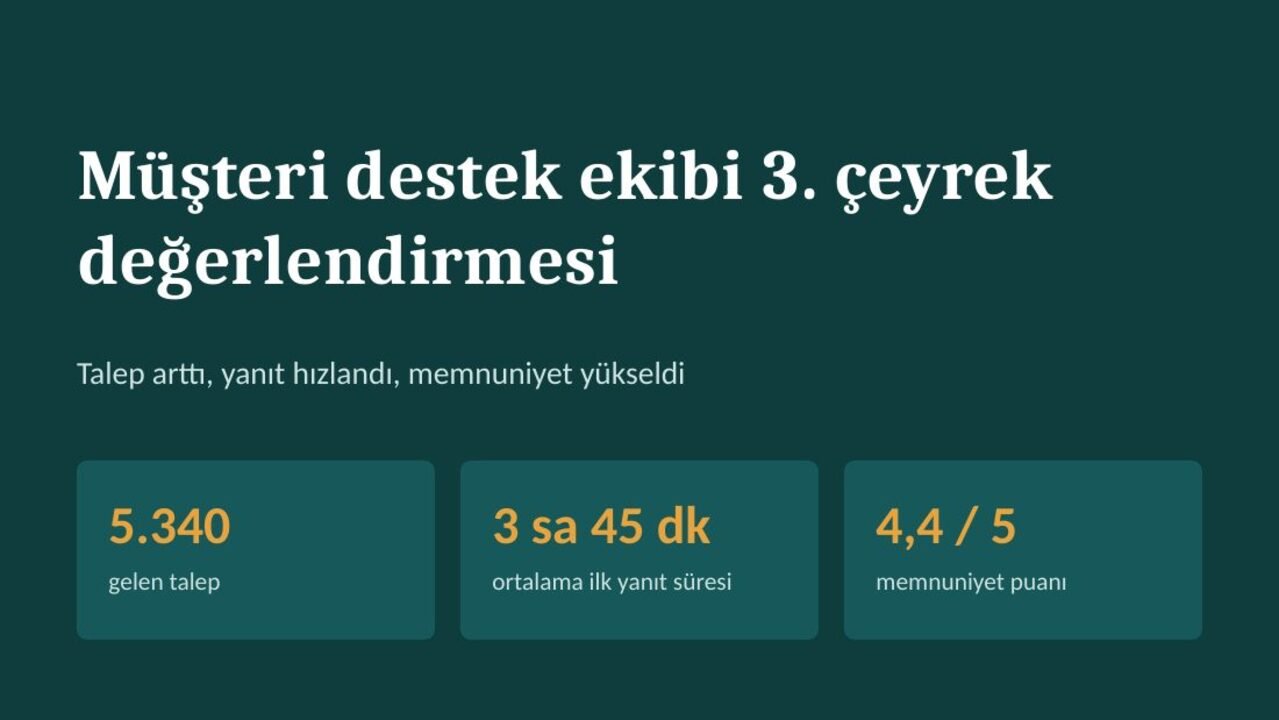
Management deck, slide 1: Slide decks
Management deck, slide 1. Skill: Slide decks.
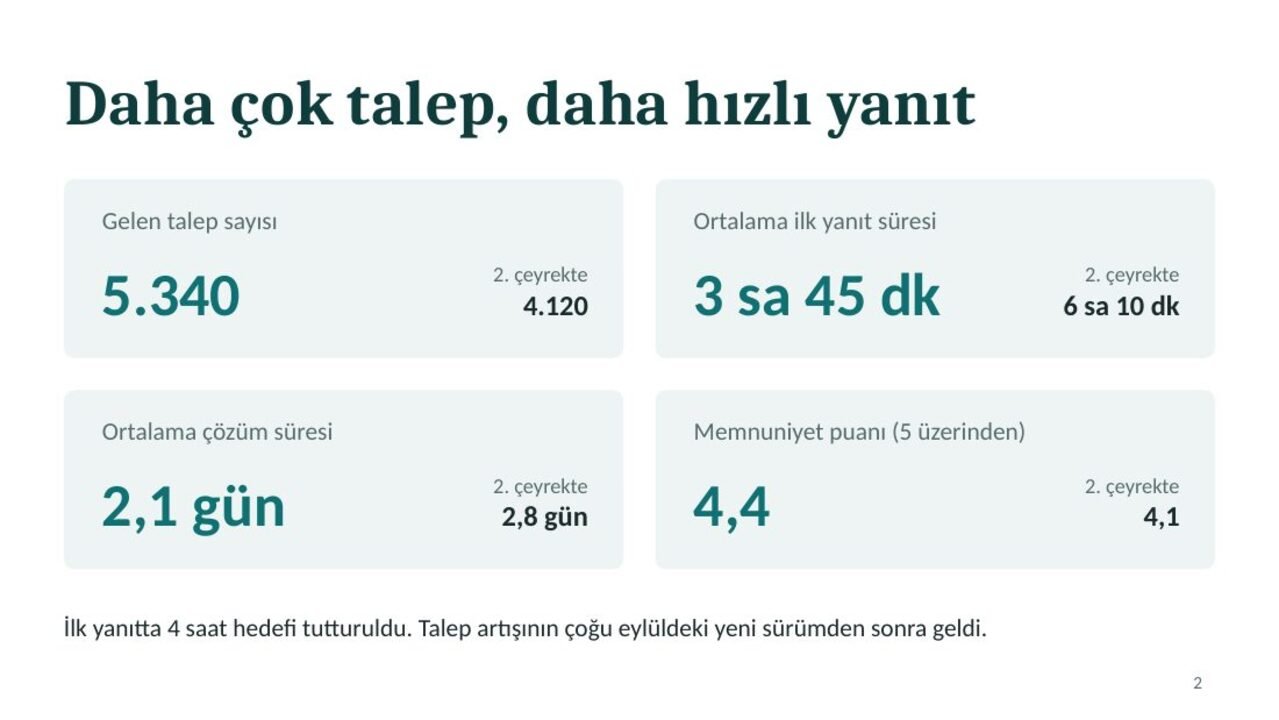
Management deck, slide 2: Slide decks
Management deck, slide 2. Skill: Slide decks.

A real output produced with a skill from this pack.

See all the examples

The 4 skills inside

  • Slide decks

    Builds PowerPoint decks, reads and edits existing ones, and adds new slides that follow a template.

  • Excel spreadsheets

    Opens and cleans up Excel and CSV files, adds formulas and charts, and builds sheets from scratch.

  • Word documents

    Creates Word documents, edits existing ones, and handles tracked changes and comments.

  • PDF tools

    Pulls text and tables out of PDFs, merges or splits them, fills in forms, and makes scanned documents searchable.

With a subscription

Design pack

See the packages

Comes with a subscription. Downloads open when payment opens.

Distinctive web page design, print-ready posters and visuals, brand guideline fit

Zip file, 2.5 MB

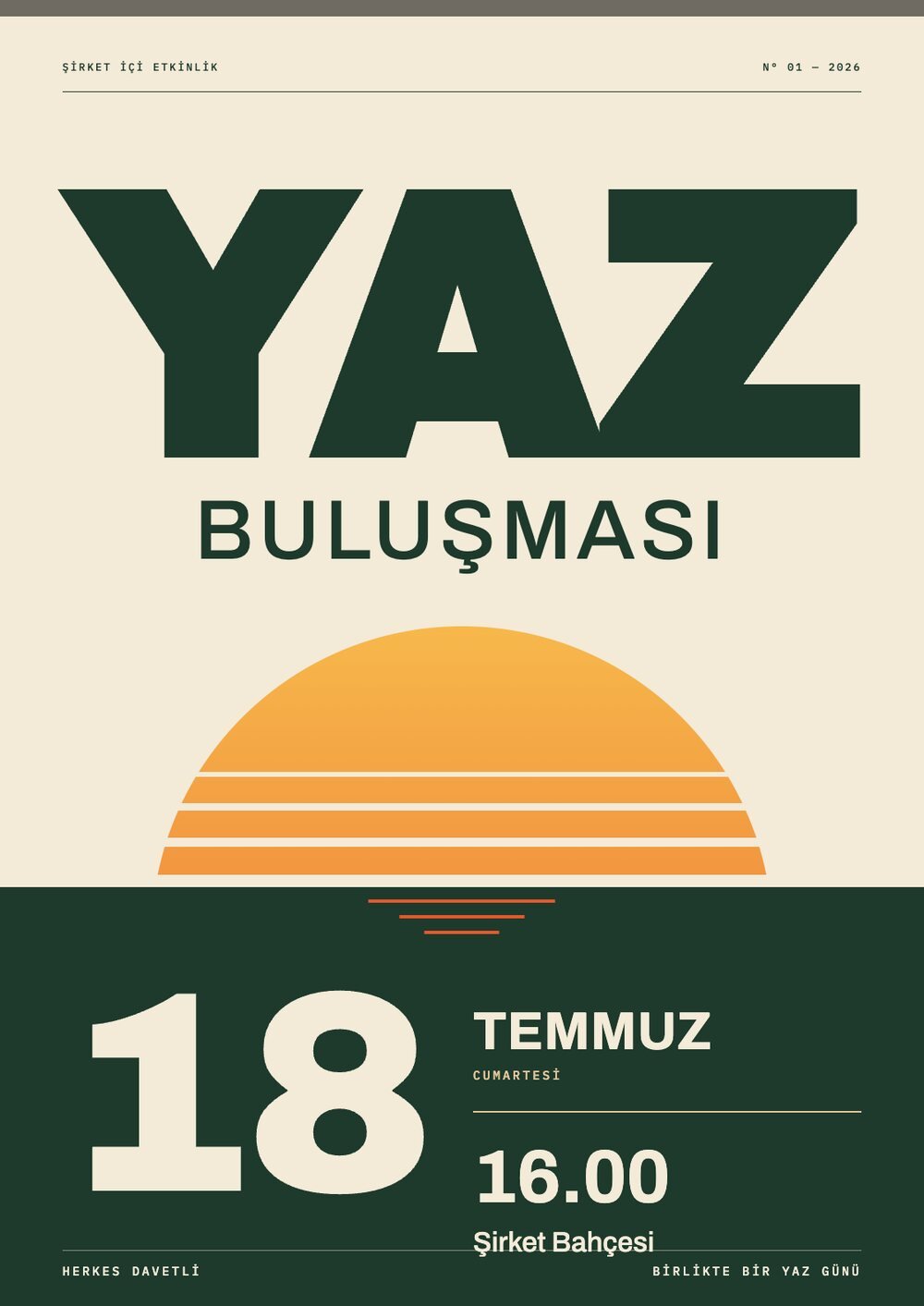
Event poster: Posters and visuals
Event poster. Skill: Posters and visuals.
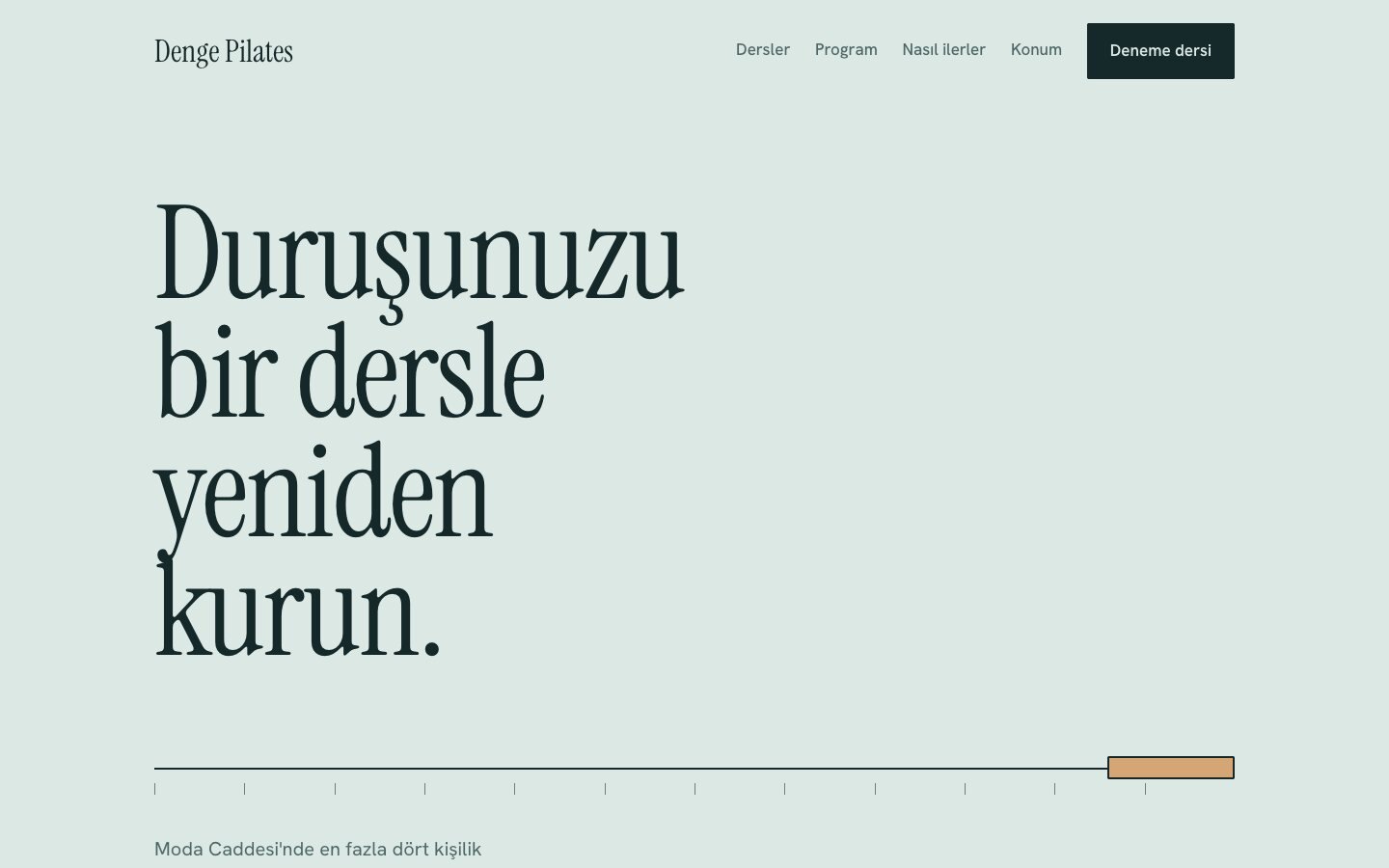
Website: Web page design
Website. Skill: Web page design.

A real output produced with a skill from this pack.

See all the examples

The 3 skills inside

  • Web page design

    Makes your AI choose type and color on purpose when it builds web pages and interfaces, so the result does not look like a template.

  • Posters and visuals

    Produces posters and one-page visual designs as PNG or PDF.

  • Brand styling

    Applies a specific brand's colors and typefaces to the documents and visuals it produces (the Anthropic brand is defined as the example).

Single skills

If you do not want a whole pack, you can download a single skill. The same free or subscription rule applies.

  • Free

    Word documents

    Creates Word documents, edits existing ones, and handles tracked changes and comments.

    Written by Anthropic. License: Apache-2.0. Zip file, 161 KB.

  • Free

    Internal announcements

    Writes internal communications such as status reports, leadership updates, company newsletters and incident reports from ready-made patterns.

    Written by Anthropic. License: Apache-2.0. Zip file, 10 KB.

  • Free

    PDF tools

    Pulls text and tables out of PDFs, merges or splits them, fills in forms, and makes scanned documents searchable.

    Written by Anthropic. License: Apache-2.0. Zip file, 24 KB.

  • Free

    Slide decks

    Builds PowerPoint decks, reads and edits existing ones, and adds new slides that follow a template.

    Written by Anthropic. License: Apache-2.0. Zip file, 165 KB.

  • Free

    GIFs for Slack

    Produces animated GIFs and emoji that fit Slack's size and dimension limits.

    Written by Anthropic. License: Apache-2.0. Zip file, 15 KB.

  • Free

    Ready-made themes

    Applies one of 10 ready-made color and type themes to a deck, document or web page, or creates a new theme.

    Written by Anthropic. License: Apache-2.0. Zip file, 121 KB.

  • Free

    Excel spreadsheets

    Opens and cleans up Excel and CSV files, adds formulas and charts, and builds sheets from scratch.

    Written by Anthropic. License: Apache-2.0. Zip file, 153 KB.

  • With a subscription

    Brand styling

    See the packages

    Comes with a subscription. Downloads open when payment opens.

    Applies a specific brand's colors and typefaces to the documents and visuals it produces (the Anthropic brand is defined as the example).

    Written by Anthropic. License: Apache-2.0. Zip file, 5 KB.

  • With a subscription

    Posters and visuals

    See the packages

    Comes with a subscription. Downloads open when payment opens.

    Produces posters and one-page visual designs as PNG or PDF.

    Written by Anthropic. License: Apache-2.0. Zip file, 2.5 MB.

  • With a subscription

    Web page design

    See the packages

    Comes with a subscription. Downloads open when payment opens.

    Makes your AI choose type and color on purpose when it builds web pages and interfaces, so the result does not look like a template.

    Written by Anthropic. License: Apache-2.0. Zip file, 8 KB.

  • With a subscription

    Write your own skill

    See the packages

    Comes with a subscription. Downloads open when payment opens.

    Helps you write a new skill for your own work, and improve and test an existing one.

    Written by Anthropic. License: Apache-2.0. Zip file, 71 KB.

How to upload to Claude

There is no one-click or link-based automatic install. You download the zip file and upload it yourself with the steps below.

Menu names are given as they appear in Claude's English interface.

Plugin pack (zip)

  1. Open the Claude desktop app or claude.ai.
  2. Go to Customize.
  3. Choose Plugins.
  4. Press Add, then choose Upload plugin.
  5. Select the zip file you downloaded.

Single skill (zip)

  1. In Claude, go to Customize.
  2. Choose Skills.
  3. Press "+", then choose Create skill.
  4. Choose Upload a skill.
  5. Select the zip file you downloaded.

For skills to work, code execution and file creation must be turned on under Settings > Capabilities.

If you use Claude Code

  1. Unzip the single skill zip file.
  2. Put the folder that comes out into ~/.claude/skills/.

The skill shows up by itself. There is nothing else to do.

We did not write these skills

Skillducks did not write the skills in these packs. Each skill is distributed unchanged, with its author's name and license.

The KAYNAKLAR.md file inside each pack shows who each skill belongs to and which license it was published under.

Try a free pack first.

If it helps your work, you choose a subscription for the advanced packs.